
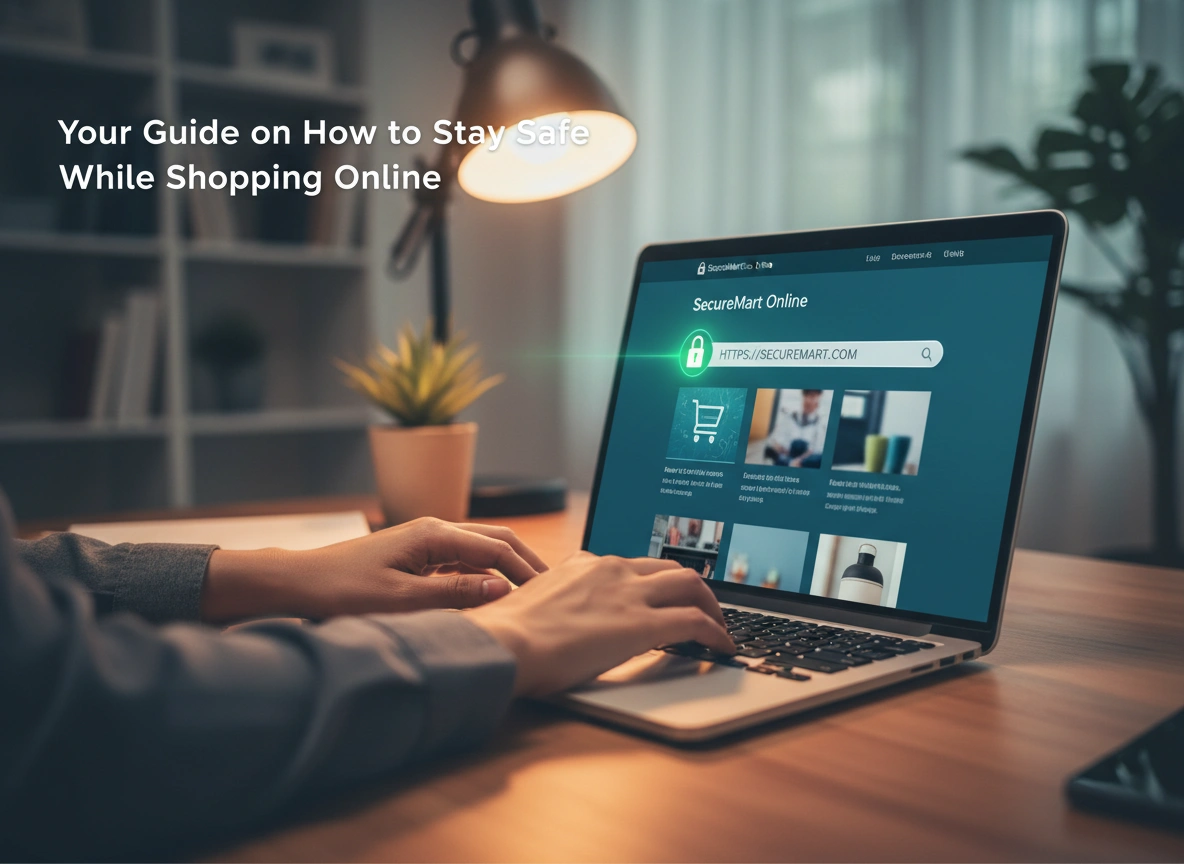
Online shopping offers unparalleled convenience, allowing you to buy almost anything from the comfort of your home. However, this convenience comes with risks. As e-commerce grows, so do the opportunities for cybercriminals to steal your personal and financial information. Understanding how to protect yourself is no longer optional; it’s an essential skill for anyone who shops online.
This guide will walk you through the most common threats you might face and provide practical, actionable steps to ensure your online shopping experience is a secure one. You will learn how to identify safe websites, protect your data, and respond effectively if you ever suspect fraud.
Why Online Shopping Safety Matters
Every time you make a purchase online, you share sensitive information. This often includes your full name, home address, phone number, and credit card details. In the hands of a criminal, this data can be used for much more than just a single fraudulent purchase. It can lead to identity theft, where someone uses your information to open new accounts, take out loans, or commit other crimes in your name.
The financial and emotional cost of a data breach can be significant. Reclaiming your identity and clearing your name is a long and stressful process. By taking proactive security measures, you build a digital shield that protects your finances, your identity, and your peace of mind.
Common Risks and Threats in Online Shopping
To stay safe, you first need to understand the dangers. Cybercriminals use various tactics to trick shoppers into giving up their information.
Phishing Scams
Phishing is a fraudulent attempt to obtain sensitive information by disguising as a trustworthy entity in an electronic communication. You might receive an email or text message that appears to be from a well-known retailer, a delivery service, or even your bank. These messages often create a sense of urgency, claiming there’s a problem with your account or a limited-time offer you can’t miss.
The goal is to get you to click a malicious link that leads to a fake website. If you enter your login credentials or credit card information on that site, the criminals capture it.
Fake Websites and Scams
Some criminals create entire fake e-commerce websites. These sites often mimic legitimate retailers or offer popular products at unbelievably low prices. They might use high-quality images and a professional-looking layout to appear genuine.
When you make a purchase, one of two things usually happens: you either receive a cheap, counterfeit item, or you receive nothing at all. In either case, the criminals have your payment information and personal details.
Data Breaches
Data breaches occur when cybercriminals successfully attack a company’s database and steal customer information. Even if you do everything right, your data can be exposed if a retailer you trust has weak security. Hackers can then sell this stolen information on the dark web, where other criminals can buy it to commit fraud.
Practical Tips for Staying Safe Online
Protecting yourself doesn’t require being a tech expert. Following a few fundamental security practices can dramatically reduce your risk.
1. Use Secure Websites (HTTPS)
Before entering any personal information, always check the website’s address bar. A secure website’s URL will start with “https” instead of just “http.” The “s” stands for secure, indicating that the data exchanged between your browser and the site is encrypted. Most browsers also display a padlock icon next to the URL to signify a secure connection. If you don’t see the “s” or the padlock, do not enter any sensitive data.
2. Create Strong, Unique Passwords
Using the same password across multiple websites is a major security risk. If one site suffers a data breach, criminals can use your stolen credentials to access your other accounts.
Create a strong password for each online shopping account. A strong password should be at least 12 characters long and include a mix of uppercase letters, lowercase letters, numbers, and symbols. To make this easier, consider using a password manager. These tools generate and store complex passwords for all your accounts, so you only need to remember one master password.
3. Be Wary of Public Wi-Fi
Public Wi-Fi networks, like those in cafes, airports, and hotels, are often unsecured. This means a skilled hacker on the same network could potentially intercept the data you send and receive, including your credit card numbers and login details.
Avoid making purchases or logging into sensitive accounts while connected to public Wi-Fi. If you must shop on the go, use your phone’s cellular data, which provides a much more secure connection. Alternatively, use a Virtual Private Network (VPN) to encrypt your internet traffic.
4. Use Credit Cards Instead of Debit Cards
When shopping online, it’s generally safer to use a credit card than a debit card. Credit cards offer stronger fraud protection. If a fraudulent charge appears on your credit card statement, federal law limits your liability to $50. Many credit card companies offer zero-liability policies, meaning you won’t be responsible for any fraudulent charges.
A debit card, on the other hand, is linked directly to your bank account. If a criminal gains access to your debit card information, they can drain your account quickly. While you can still report the fraud, recovering your money from the bank can be a more difficult and lengthy process.
How to Identify Legitimate Sellers
Beyond technical security, it’s crucial to know who you’re buying from. Here’s how to vet an online seller.
- Check for Professionalism: Look for a polished, professional website. Typos, grammatical errors, and poor-quality images are red flags.
- Verify Contact Information: A legitimate business will provide a physical address and a phone number. Be suspicious of sellers that only offer a contact form or a generic email address.
- Read Reviews: Search for reviews of the company on independent sites like Google, Trustpilot, or the Better Business Bureau. A few negative reviews are normal, but a pattern of complaints about not receiving items or poor quality should be a warning.
- Review Return and Privacy Policies: Legitimate retailers have clear, easily accessible policies for returns, refunds, and privacy. If a site lacks this information, it’s best to shop elsewhere.
The Role of Antivirus Software and VPNs
Adding extra layers of security can further protect your devices and data.
Antivirus Software
Reputable antivirus software is your first line of defense against malware. It can detect and block malicious software from infecting your computer, including keyloggers that record your keystrokes and spyware that steals your information. Keep your antivirus software updated to ensure it can protect you from the latest threats.
Virtual Private Networks (VPNs)
A VPN creates a secure, encrypted tunnel for your internet traffic. When you use a VPN, your data is routed through a private server, masking your IP address and encrypting your activity. This is especially important when using public Wi-Fi, as it prevents anyone on the network from snooping on your connection. A VPN provides an essential layer of privacy and security for all your online activities, including shopping.
What to Do If You Suspect Fraud
Even with the best precautions, you may still become a victim of fraud. Acting quickly can help minimize the damage.
- Contact Your Bank or Credit Card Company: Immediately report any suspicious charges. They will cancel your card to prevent further fraudulent transactions and begin an investigation.
- Change Your Passwords: If you suspect an account has been compromised, change the password immediately. If you used that same password on other sites, change those as well.
- Place a Fraud Alert: Contact one of the three major credit bureaus (Equifax, Experian, or TransUnion) to place a fraud alert on your credit file. This makes it harder for someone to open new accounts in your name.
- Report the Incident: Report identity theft to the Federal Trade Commission (FTC) at IdentityTheft.gov. This creates an official report and provides a personalized recovery plan.
By integrating these safety habits into your routine, you can enjoy the benefits of online shopping with confidence. Staying informed and cautious is the best way to protect your digital life.
Please visit website for more info
